



If you are looking for a power meter, please read this article first. It will help you quickly confirm whether IAMMETER products meet your requirements. How to choose the power meter with regard to your requirements
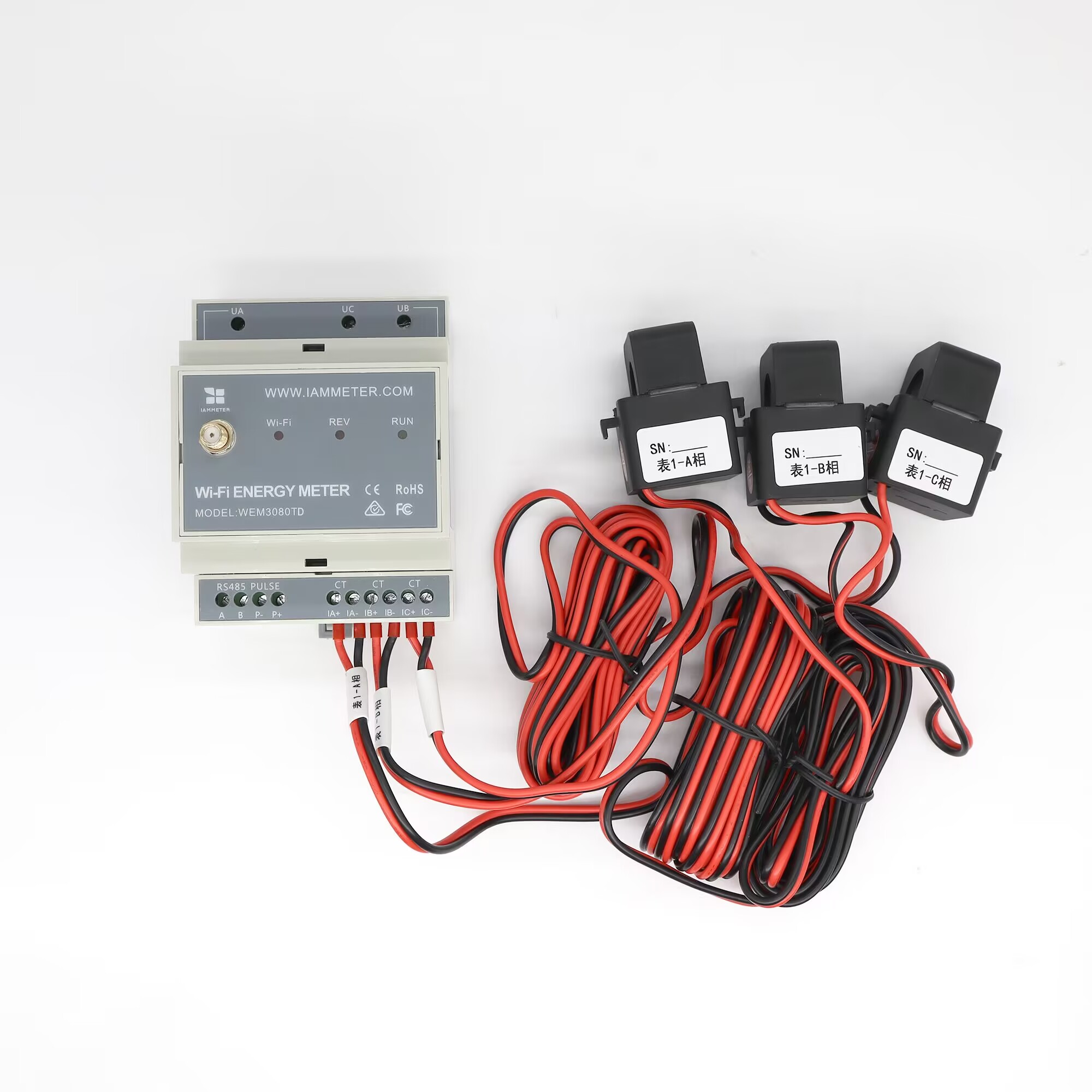
| No. | Item | Qty | Remark |
|---|---|---|---|
| 1 | Wi-Fi Energy Meter | 1 | Wi-Fi module embedded |
| 2 | Split-core Current Transformer | 2 | CTa and CTc are used for delta monitoring |
| 3 | 2.4G Wi-Fi Antenna | 1 | External SMA antenna |
Please note:
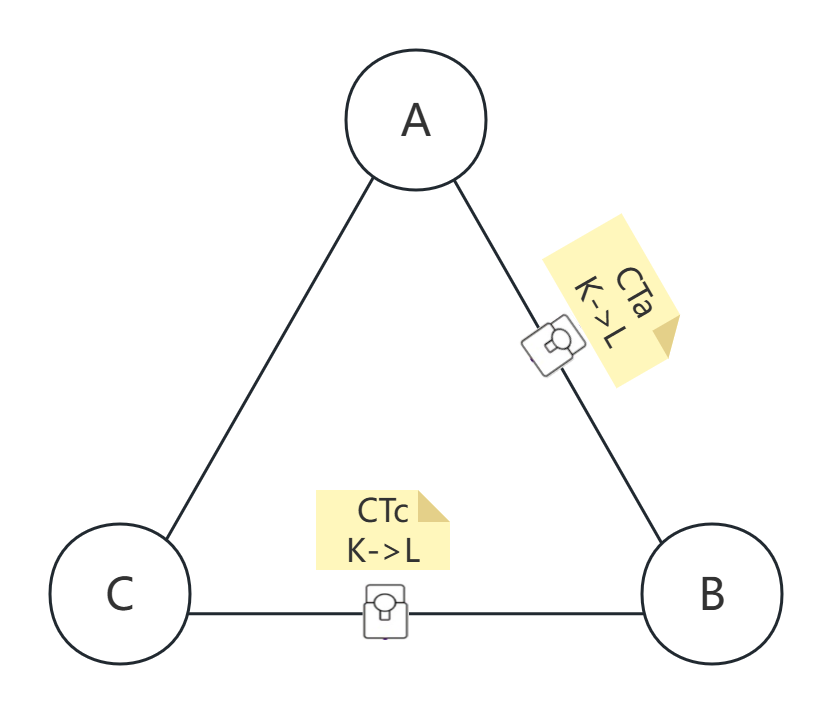
UN connection.UA, UB, and UC to phase A, phase B, and phase C respectively.CTa on phase A and CTc on phase C. CTb is not used in the standard Delta wiring mode.K->L) must follow the line-to-line direction toward phase B: phase A to phase B for CTa, and phase C to phase B for CTc.| Power Measurement | Description |
|---|---|
| Power A | Power from line A to line B |
| Power B | Zero, because phase B is used as the reference |
| Power C | Power from line C to line B |
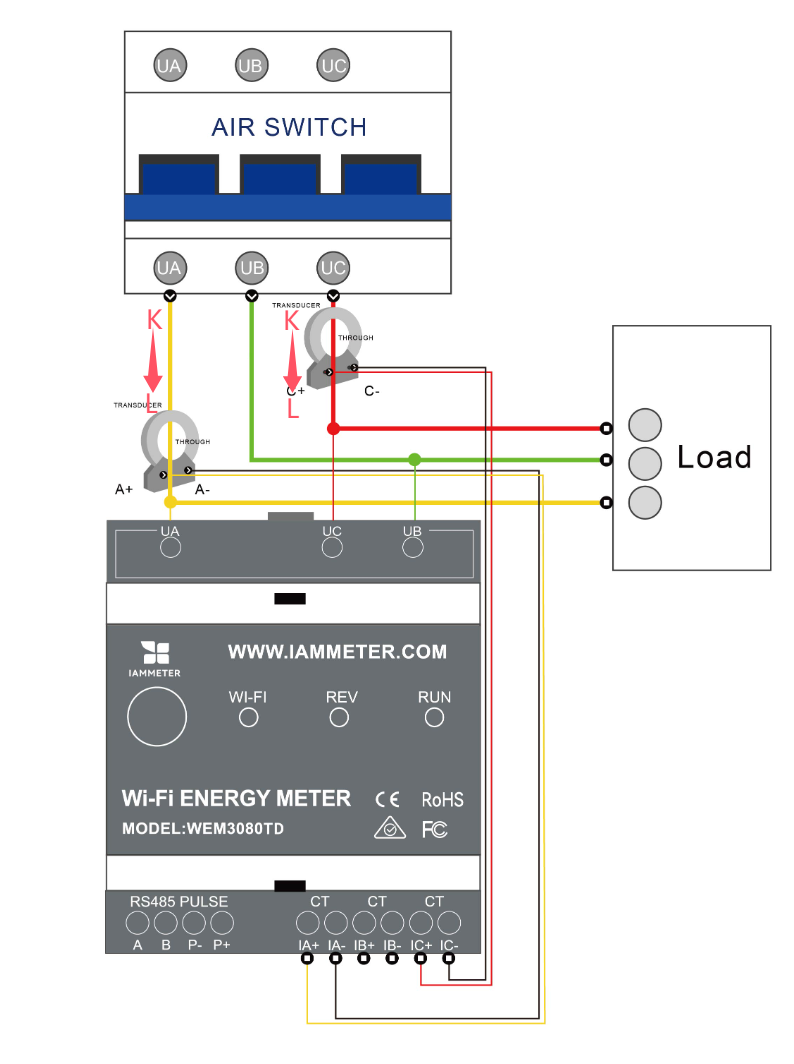
If you see negative power values in IAMMETER, the usual reasons are:
CTa and CTc are installed on the wrong phases.UA, UB, and UC are not connected in the correct phase order.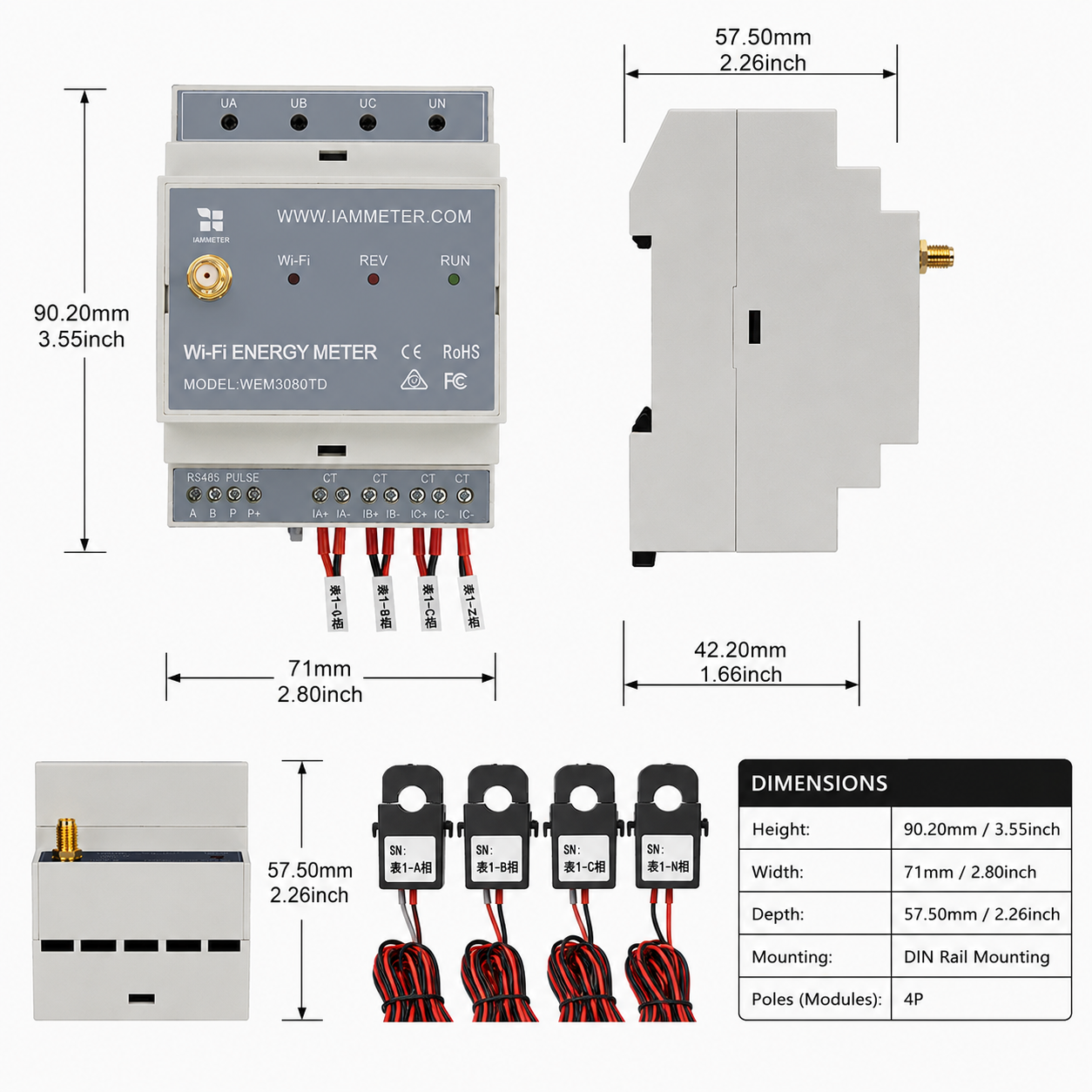
| Specification | Description |
|---|---|
| Dimension | 90.27157.5mm (2 DIN pole) |
| Weight | 0.62kg (150A model); 1.02kg (250A model); 1.40kg (500A model) |
| CT Diameter | 150A CT: phi16mm; 250A CT: phi24.5mm; 500A CT: phi35mm |
| Input Voltage | 140-480VAC (line-to-line, 3-phase 3-wire Delta system) |
There are two ways to configure the meter's Wi-Fi settings. Setting up by mobile app is recommended. If you meet any problem in the app, you can also configure it in a browser.
Video: Wi-Fi setup by mobile app
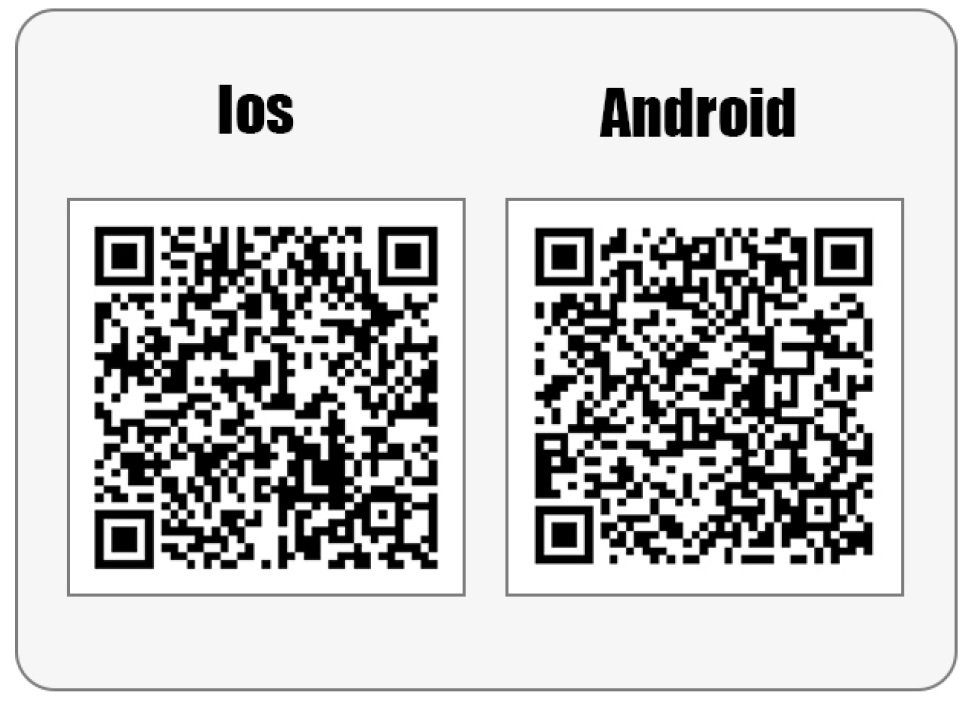
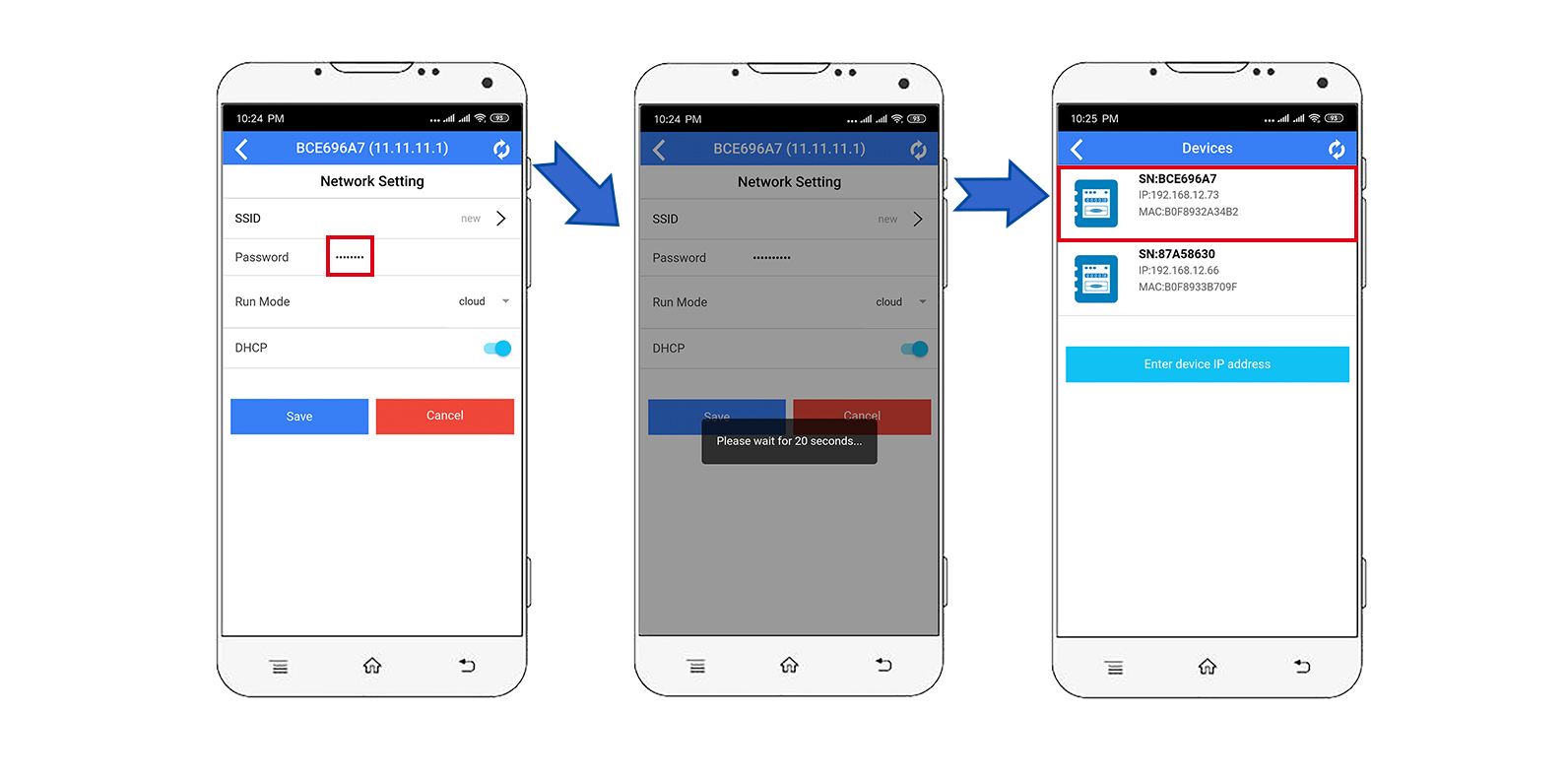
Step 1, scan the QR code and download the mobile app.
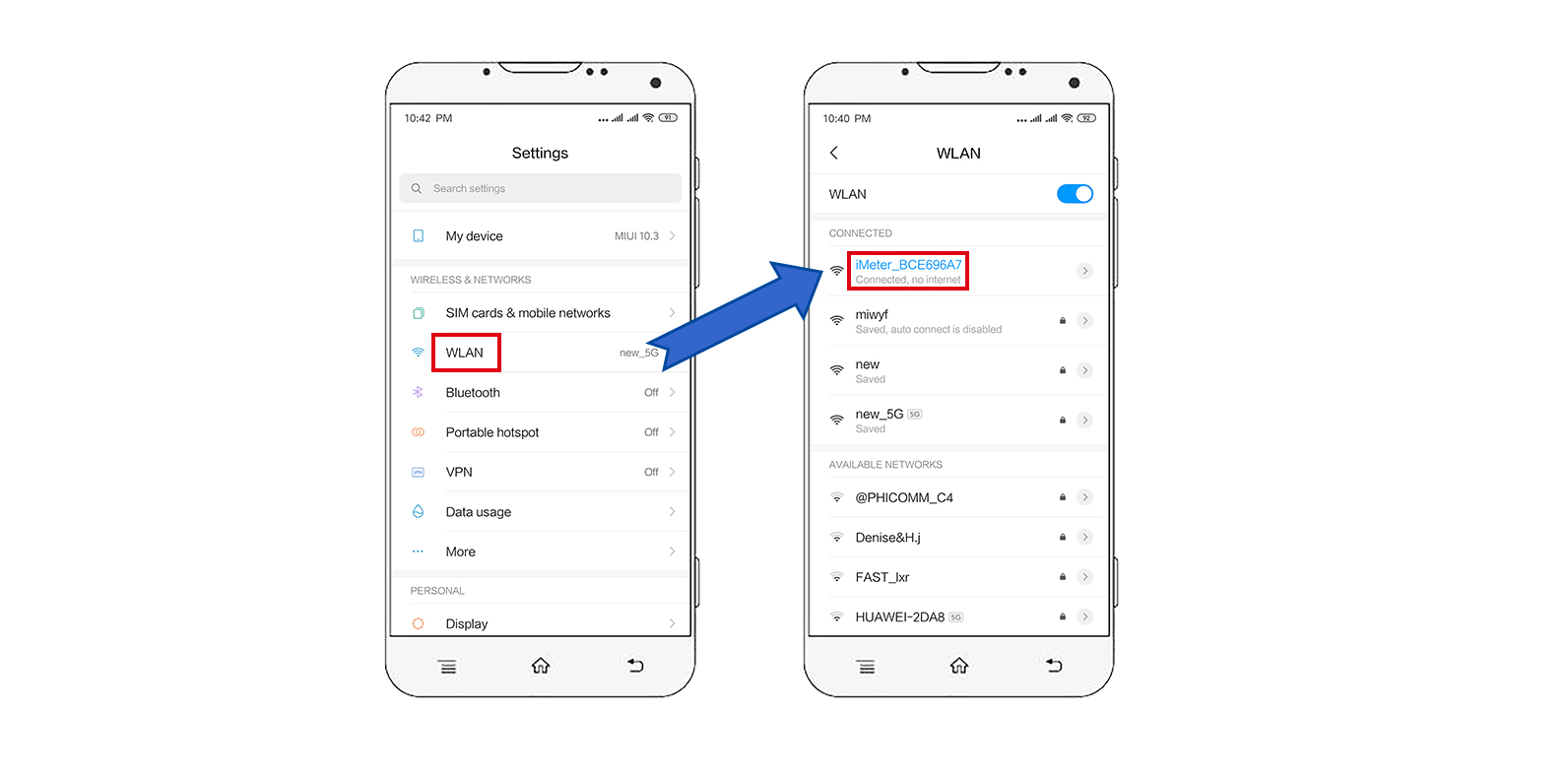
Step 2, search and connect your phone to the meter's access point signal iMeter_xxxxxxxx.
Step 3, open the app and find the meter.
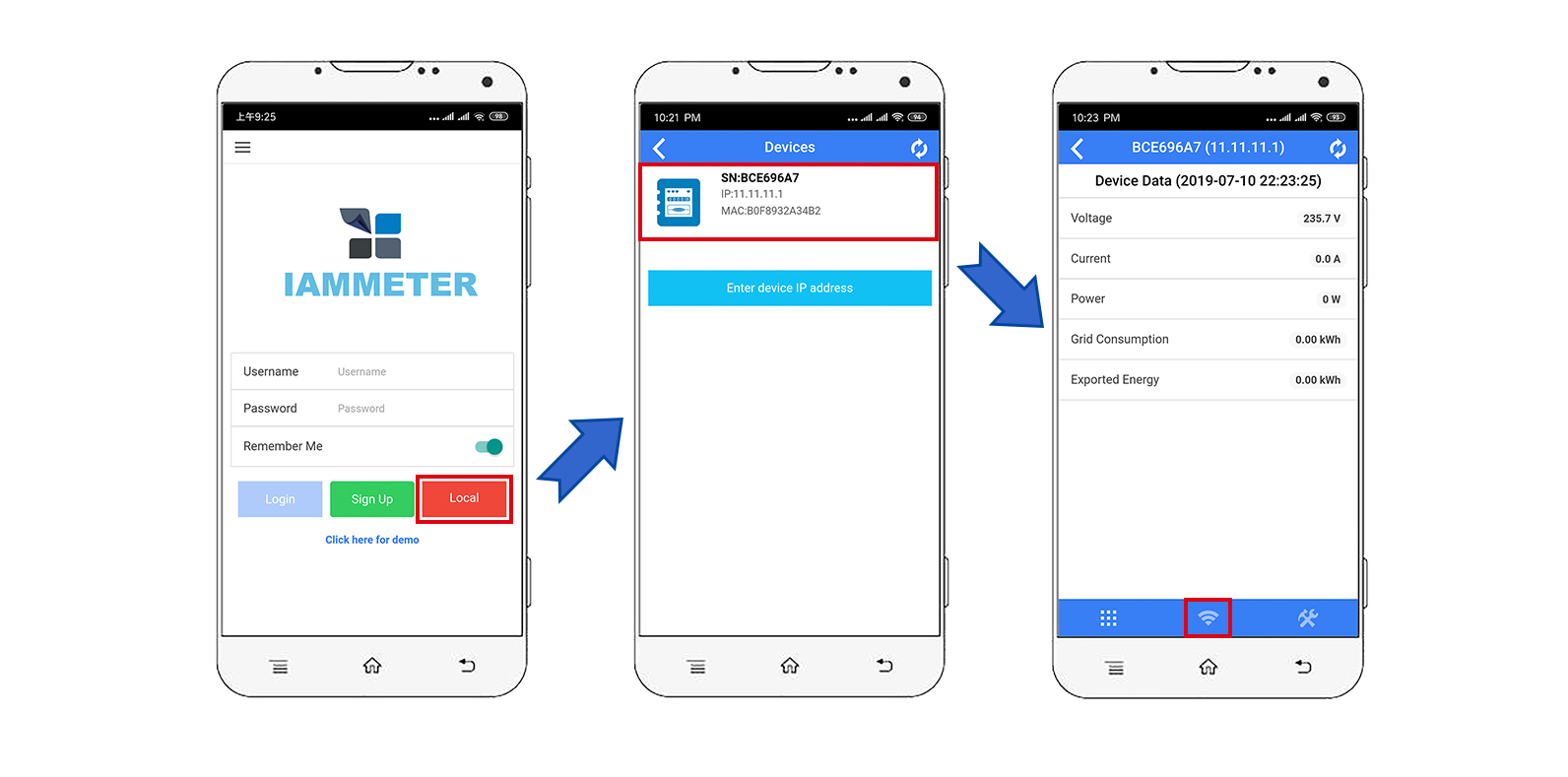
Tips: If the app prompts "Invalid device version", set up the Wi-Fi network in a browser instead, the same as the browser setup described in IAMMETER quickstarts.
Step 4, select the SSID of your Wi-Fi router.
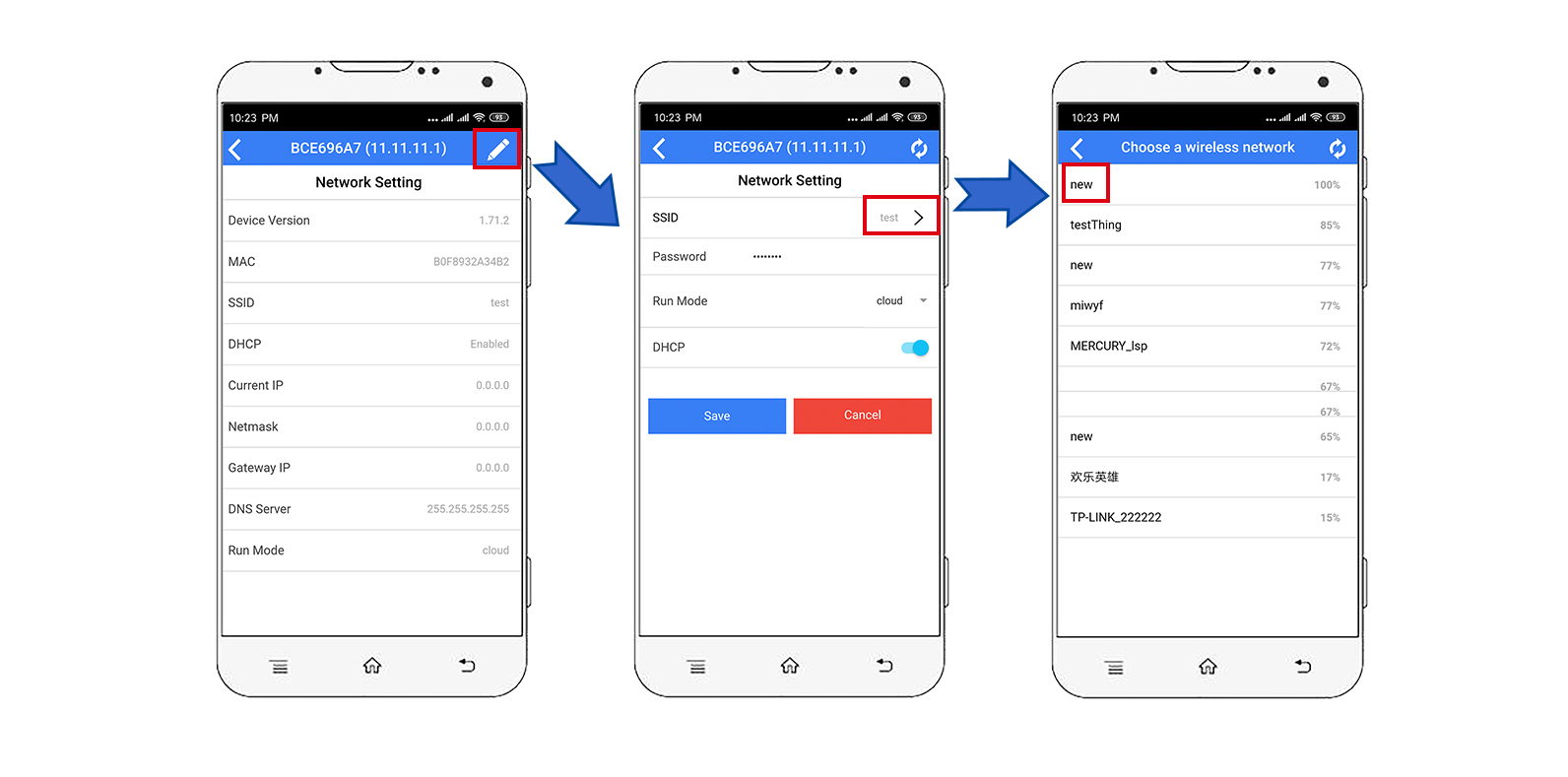
Step 5, enter the password and save. After the Wi-Fi settings are configured successfully, the app will display the IP address assigned to the meter.
Video: Wi-Fi setup in the browser
If you have already completed the Wi-Fi setup in section 4.1, you can skip this section.
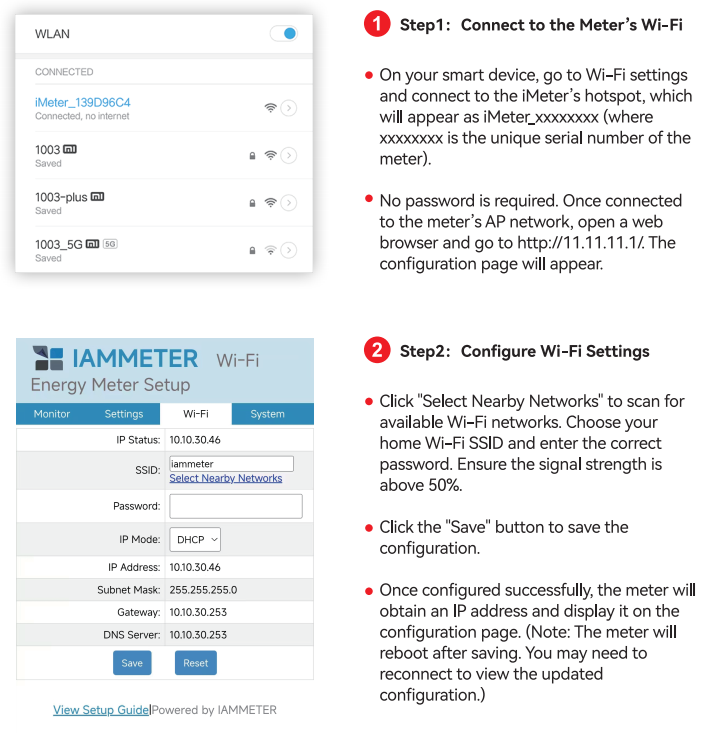
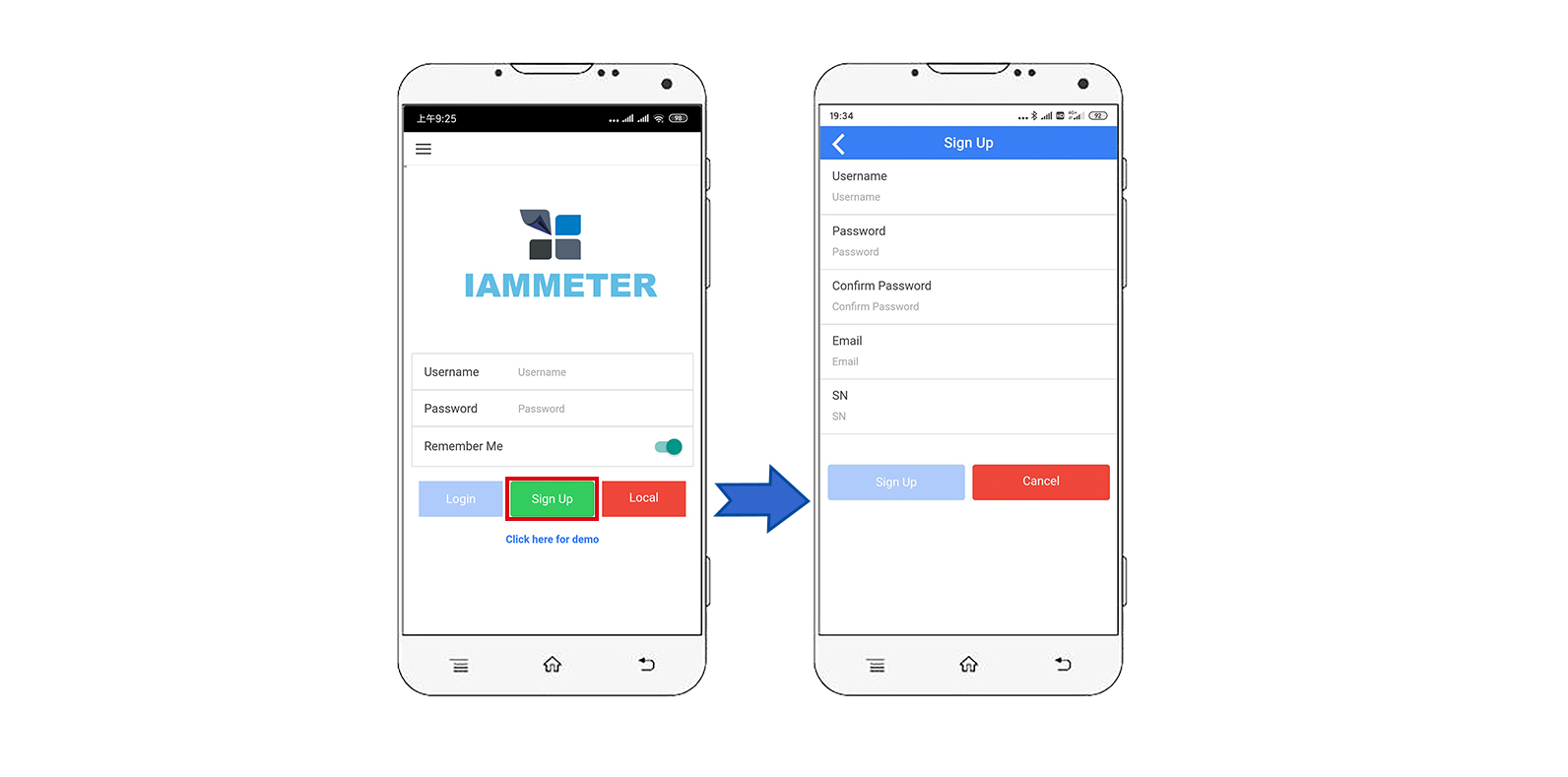
Tips:
SNis the unique serial number of the meter. You can copy it from the meter's access point signal (iMeter_xxxxxxxx, wherexxxxxxxxis the serial number).
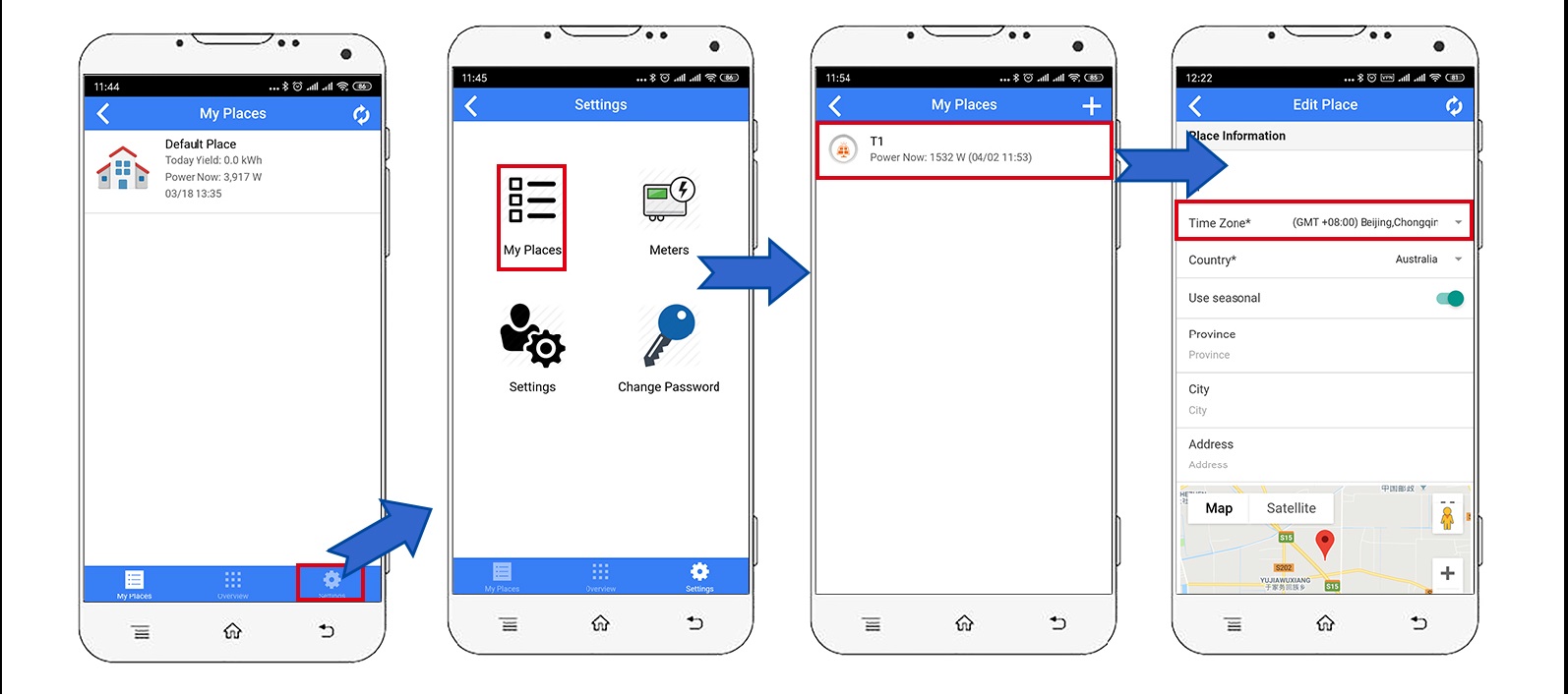
Tips: Set the time zone according to the meter's installation location to ensure the reports and charts show the correct time.
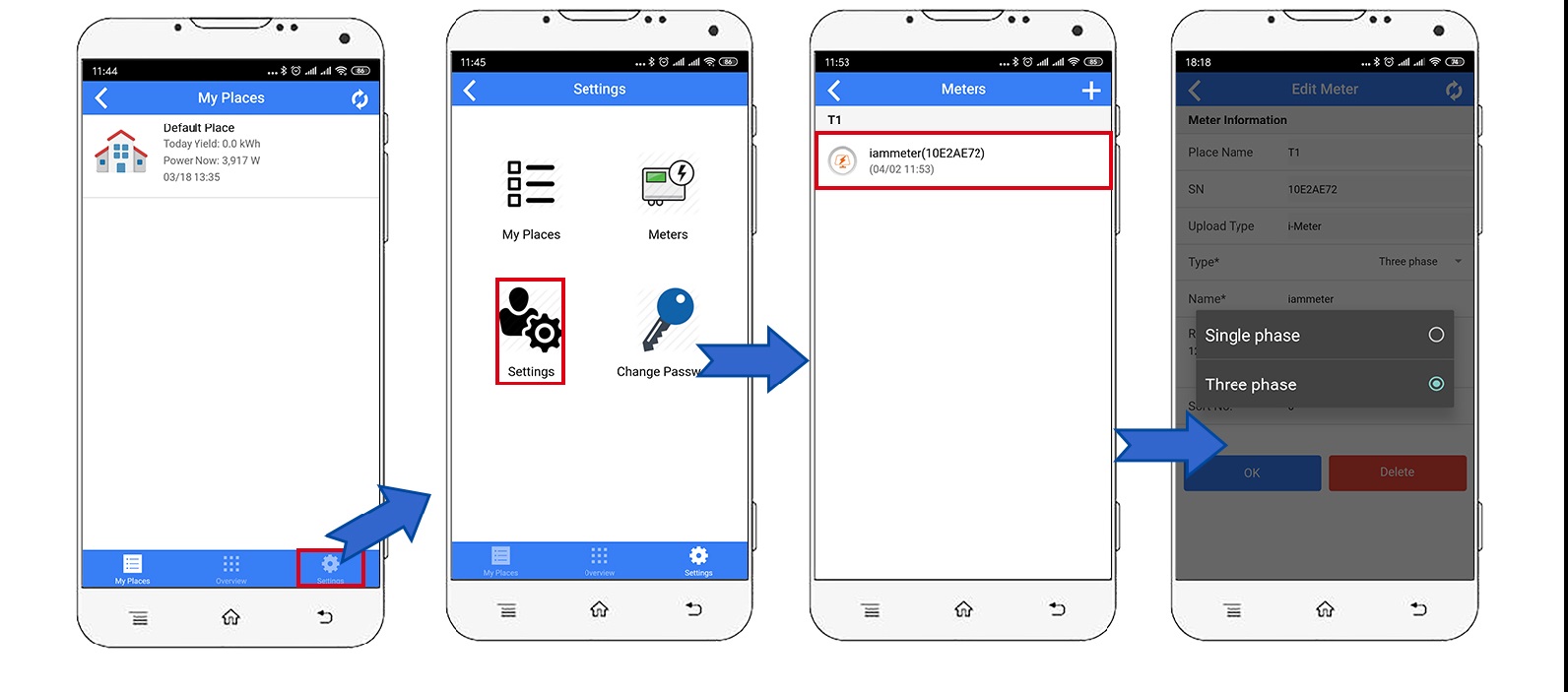
Tips: The default meter type in IAMMETER is "Single phase". Change it to "Three phase" for WEM3080TD.
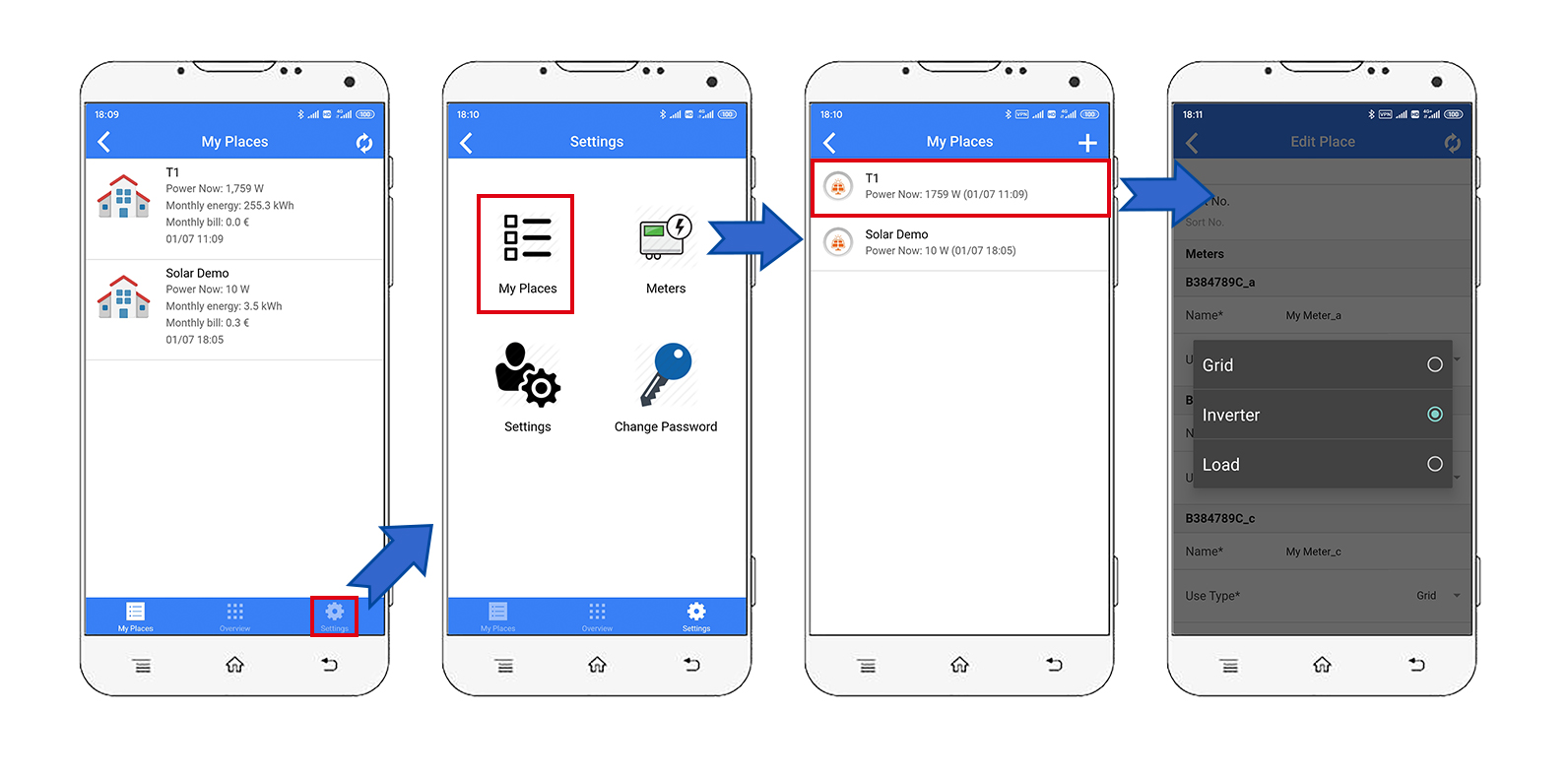
Tips: Set the use type of each CT according to the actual installation. In the standard Delta wiring mode, only phase A and phase C are measured. Phase B is the reference phase and normally shows zero power.
Monitor your energy consumption in IAMMETER-Cloud
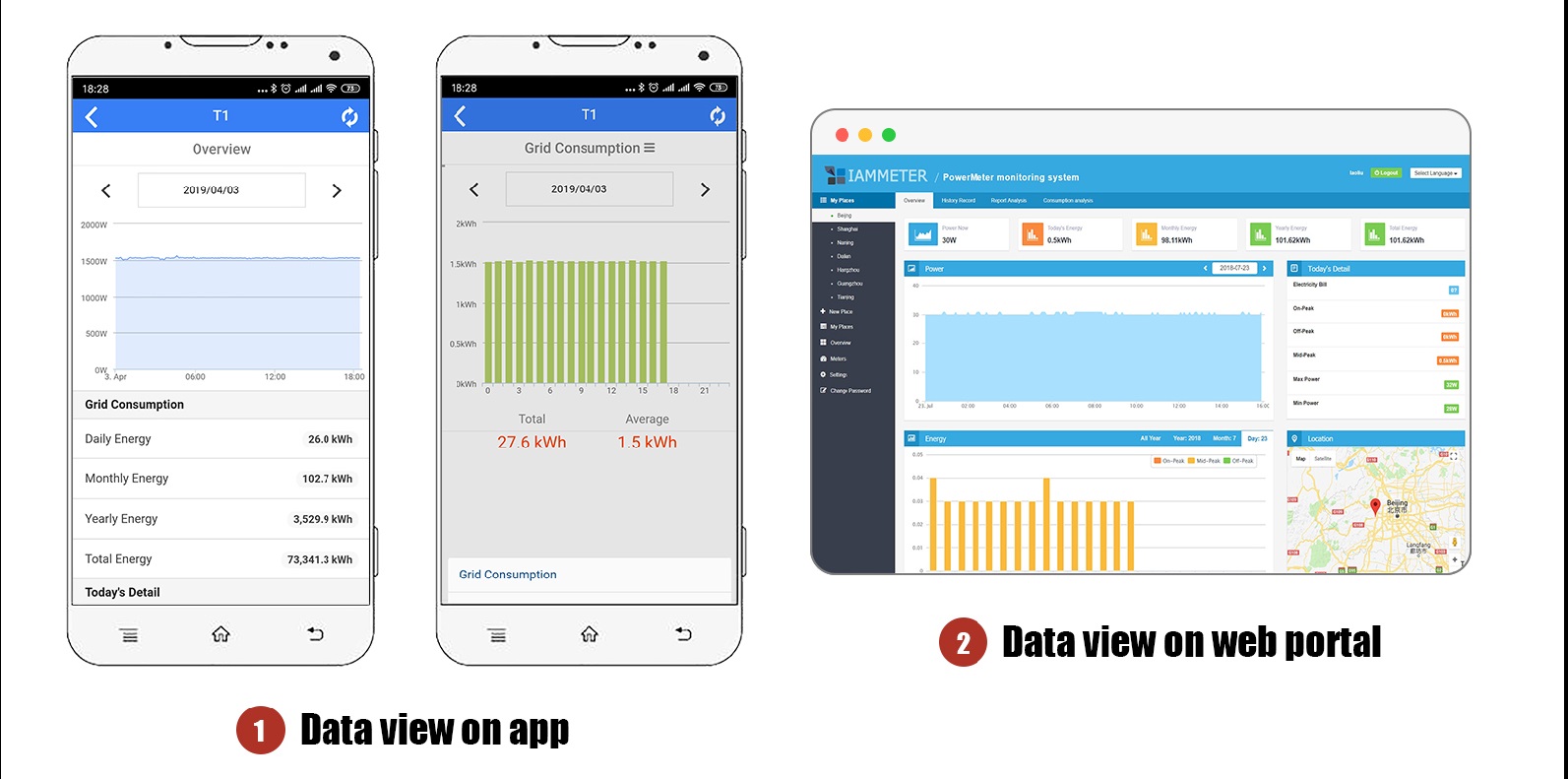
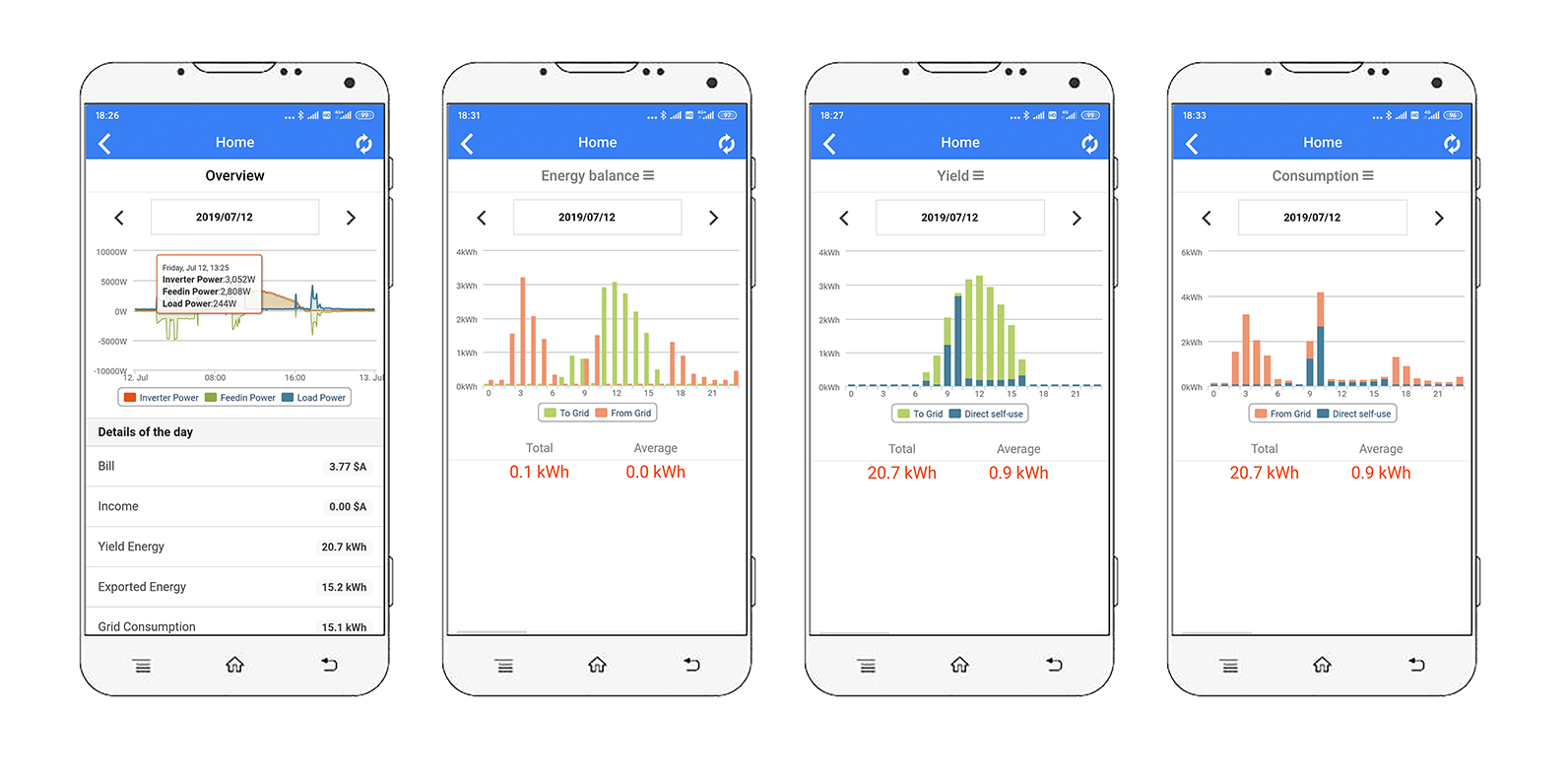
When the meter is configured correctly in a Delta system:
View on mobile app
View on web portal
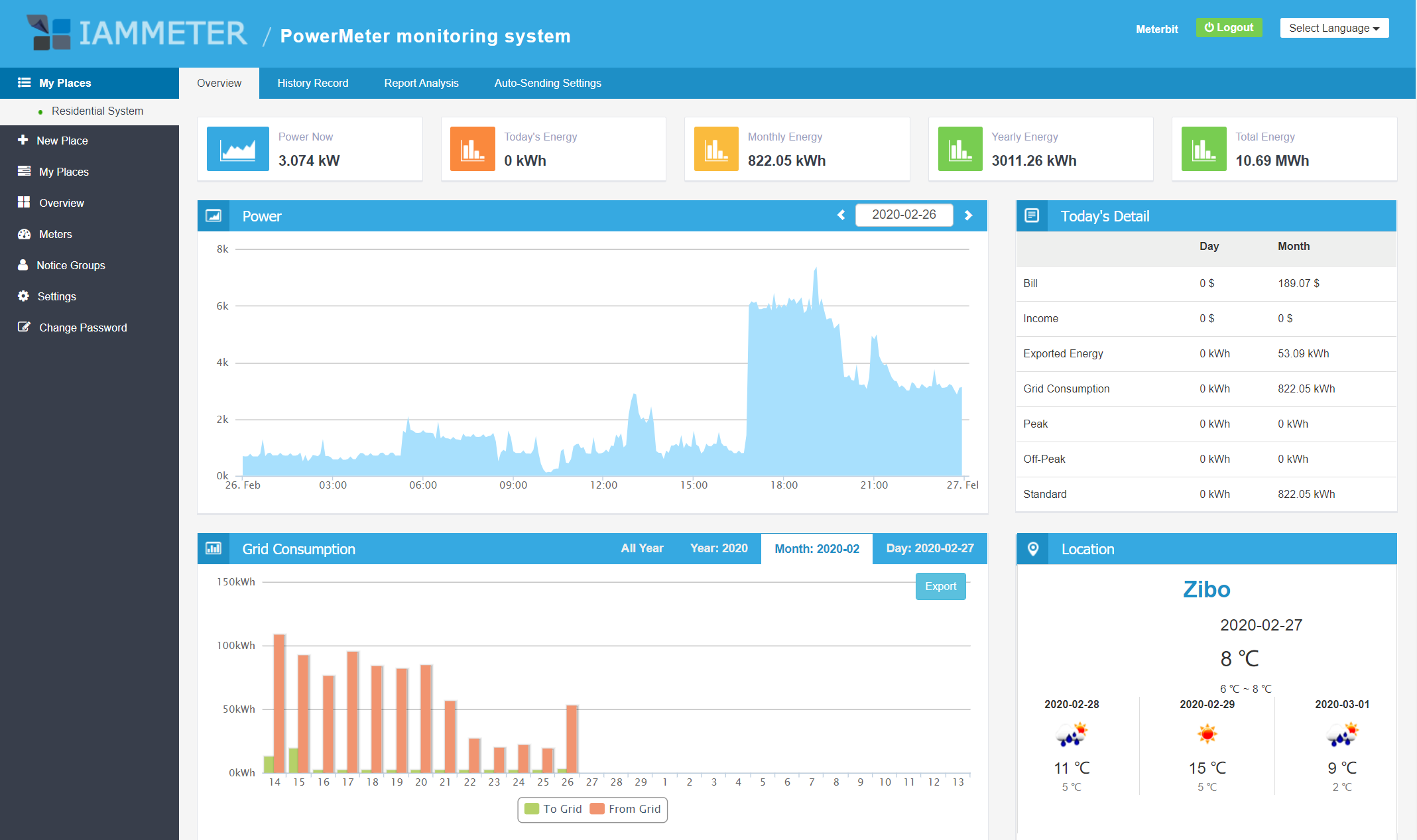
Tips: Visit IAMMETER and log in with the same username and password as the app to view more reports in the web portal.
iMeter_xxxxxxxx disappears for security reasons.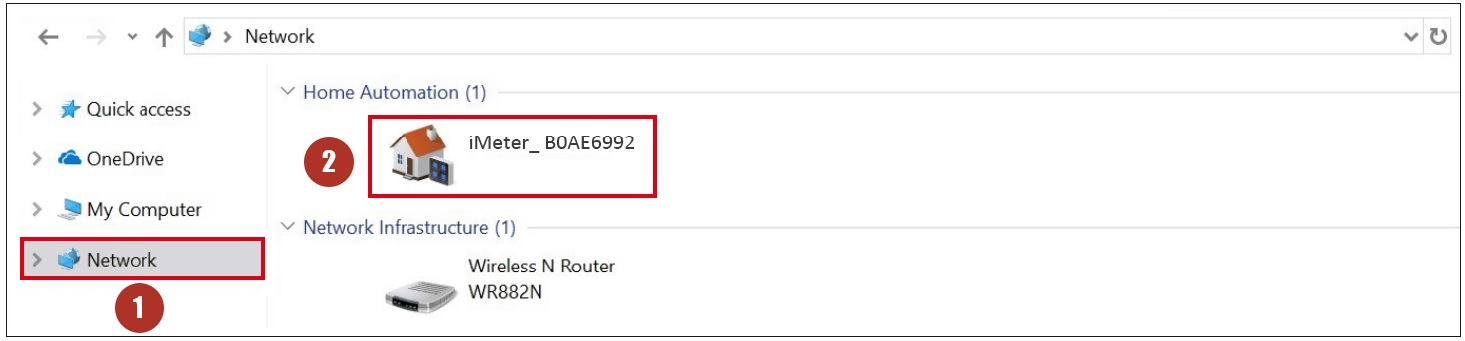
Integrate the Wi-Fi energy meter into Home Assistant
Use the Wi-Fi energy meter in a local system without internet access
Integrate IAMMETER energy meter to third-party platforms
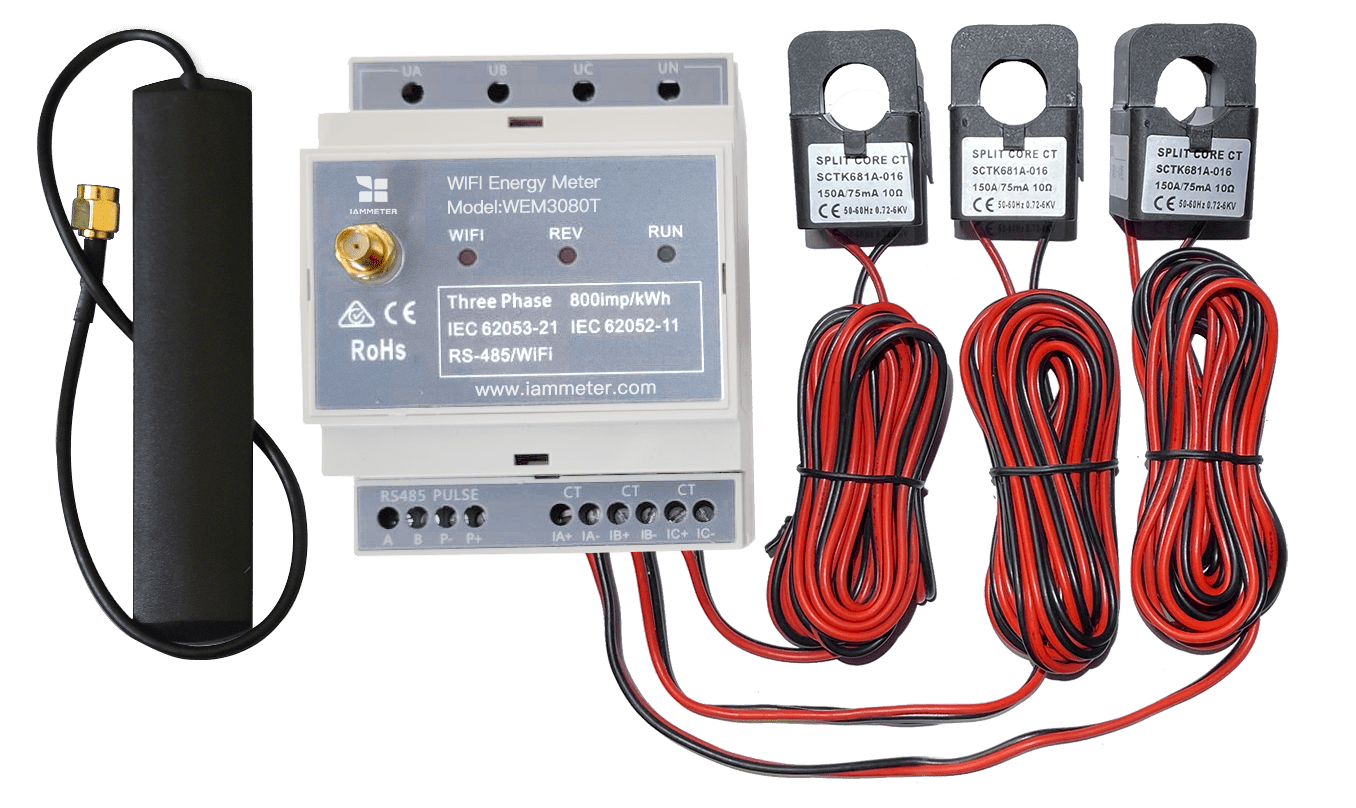
Three Phase Wi-Fi Energy Meter (WEM3080T)
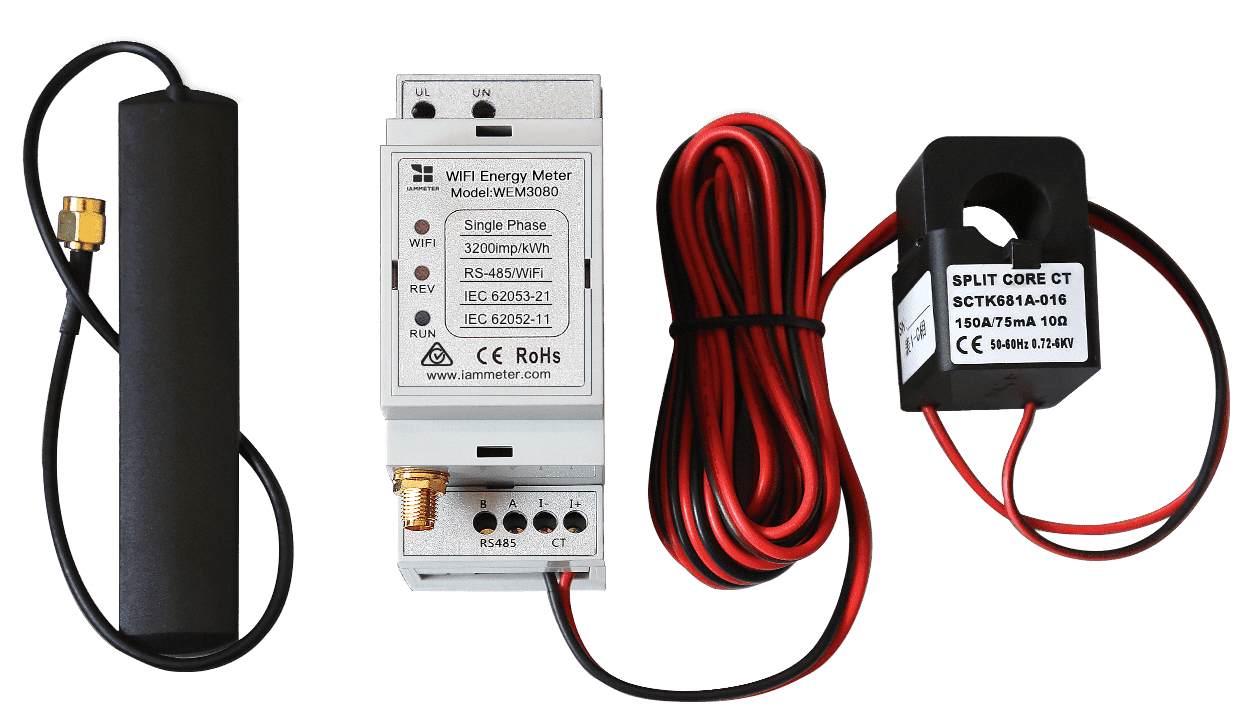
Single Phase Wi-Fi Energy Meter (WEM3080)
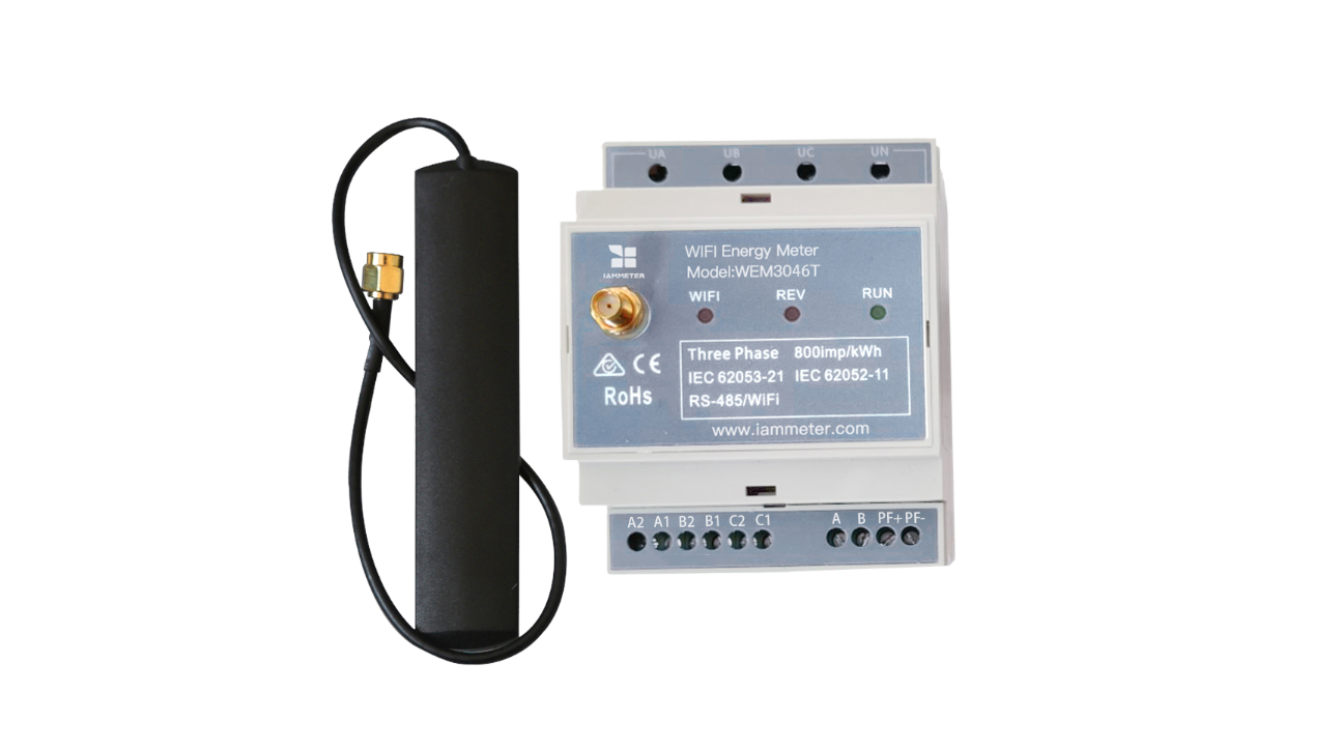
Three Phase Wi-Fi Energy Meter (WEM3046T)
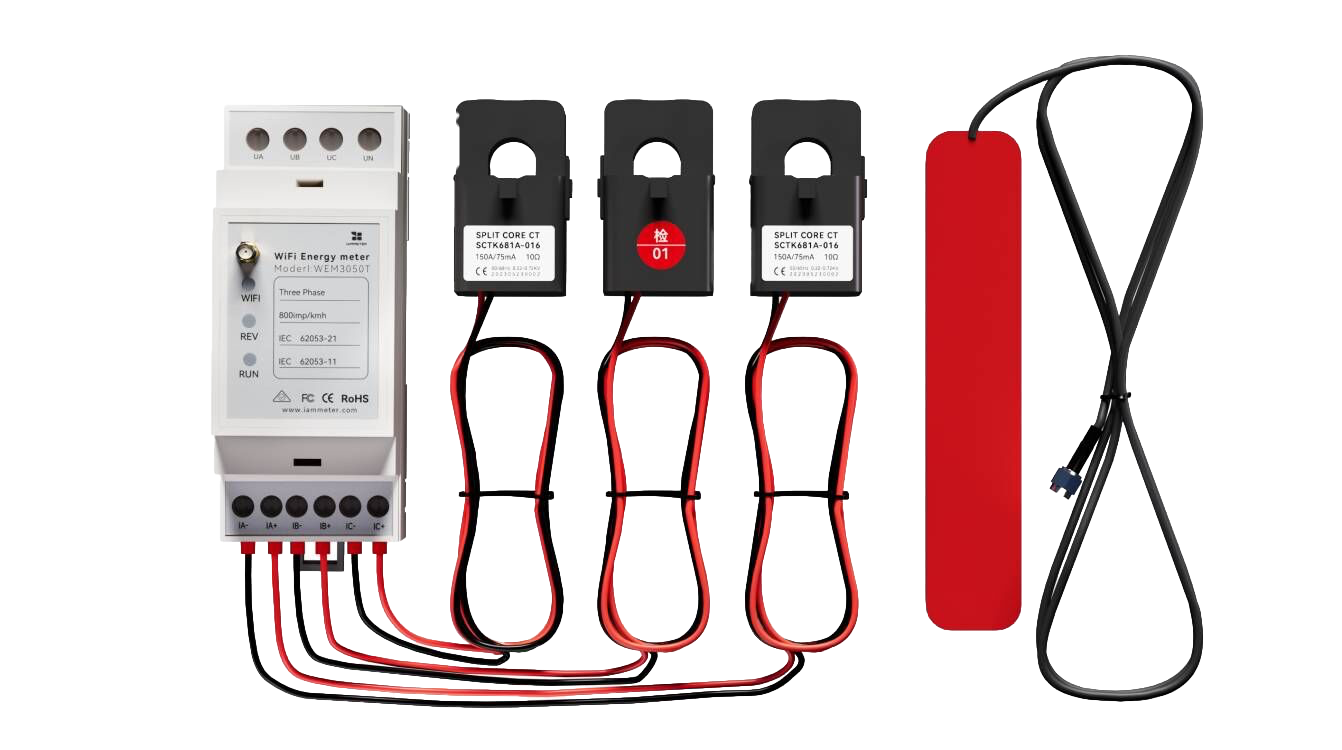
Three Phase Wi-Fi Energy Meter (WEM3050T)